|
Feature |
|
Support |
Remark |
| Deployment mode |
Public cloud deployment |
Provide device management services
based on the public network |
◯ |
|
| Local Area Network Deployment |
Provide device management services based
on the local area network |
◯ |
|
| Operating model |
Multi-organization operation |
Multiple enterprises/groups/organizations share a
management platform with isolated permissions. |
◯ |
|
| Single organization operation |
A single organization uses a single management platform. |
◯ |
|
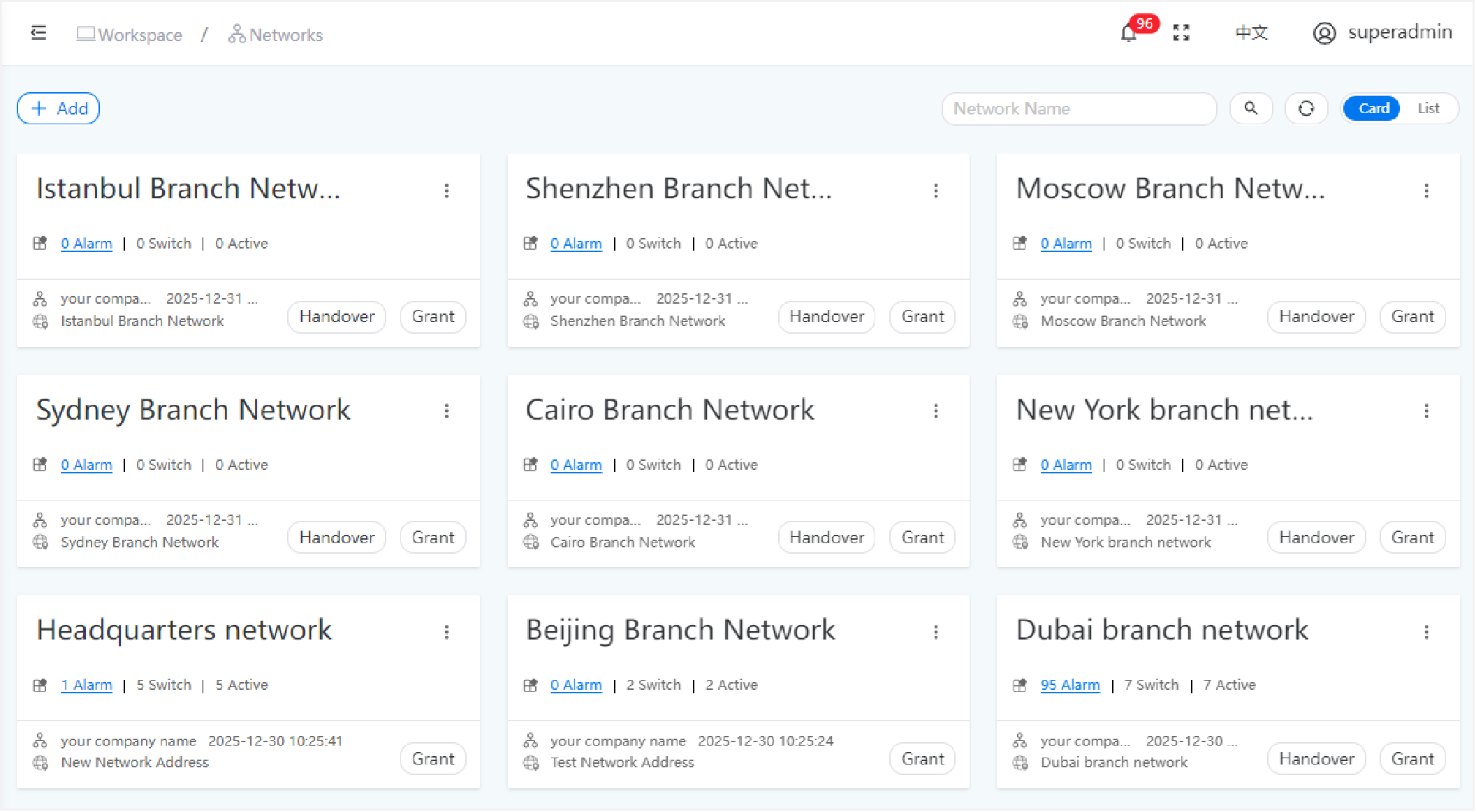
| Multi-network management |
Multiple “networks” can be created, and independent
management permissions can be configured for each. |
◯ |
|
| Basic device management |
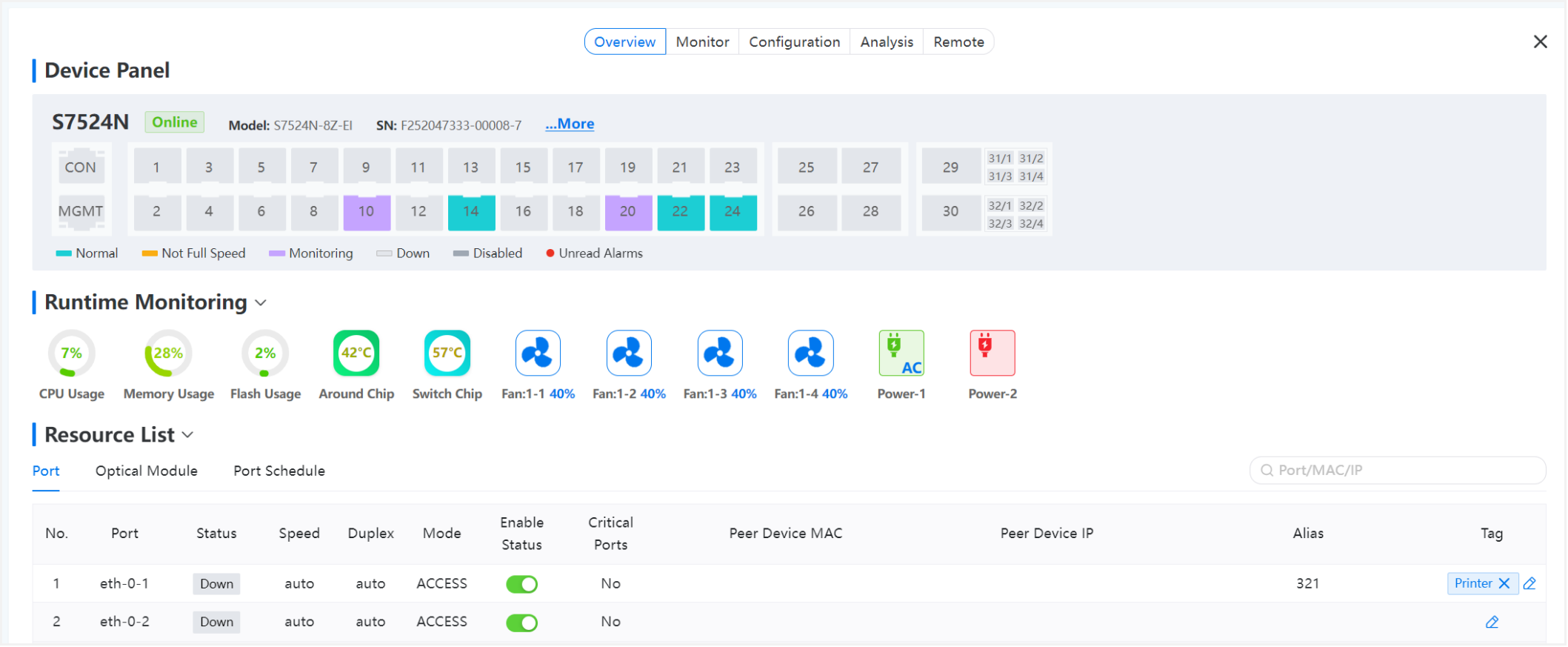
Graphical simulation panel |
◯ |
|
| Port connection status monitoring |
◯ |
|
| CPU utilization monitoring |
◯ |
|
| Memory utilization monitoring |
◯ |
|
| Flash utilization monitoring |
◯ |
|
| FAN utilization monitoring |
◯ |
|
| PSU utilization monitoring |
◯ |
|
| Optic Transceivers status monitoring |
Vendor information discovered |
◯ |
|
| Module type information display |
◯ |
|
| Temperature monitoring |
◯ |
|
| Voltage(V) monitoring |
◯ |
|
| Current(mA) monitoring |
◯ |
|
| Tx /RxPower(dBm) monitoring |
◯ |
|
| Port Schedule |
Custom port enable/disable plan |
Daily /Weekly/ Specified Date |
◯ |
|
| Multiple plans |
◯ |
|
| Custom port range |
◯ |
|
| Port traffic monitoring |
Upstream Traffic monitoring |
◯ |
|
| Downstream Traffic monitoring |
◯ |
|
| Upstream Packet Rate |
◯ |
|
| Downstream Packet Rate |
◯ |
|
| Configuration Management |
ShowRunningConfig |
◯ |
|
| ShowStartupConfig |
◯ |
|
| One-click Configuration Rollback |
◯ |
|
| Configure the switch based on the reference template |
◯ |
|
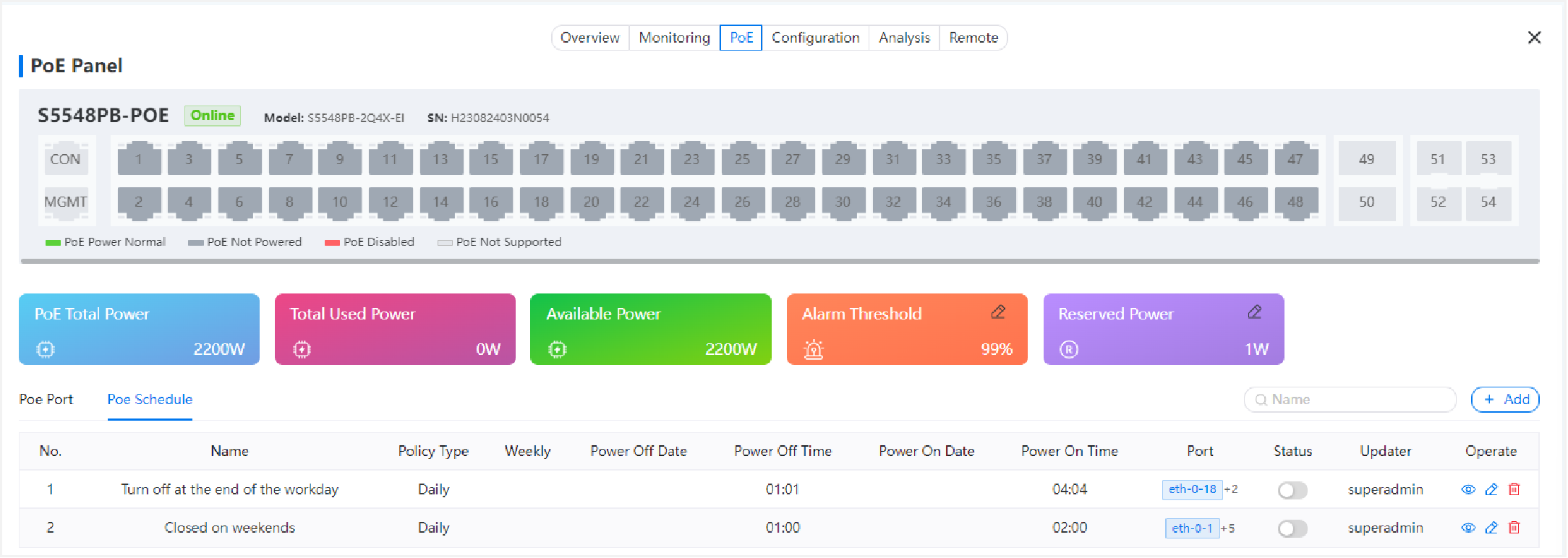
| POE Management |
POE Config |
Enable / Disable PoE |
◯ |
|
| Priority adjustment |
◯ |
|
| Alarm Threshold Config |
◯ |
|
| System Reserved Power Config |
◯ |
|
| POE Monitoring |
Port Power Status |
◯ |
|
| Port Current(mA)/Voltage(V) |
◯ |
|
| Port PSE Chip Temperature(℃) |
◯ |
|
| Port Priority |
◯ |
|
| Port Actual Power(W) |
◯ |
|
| System PoE Total Power budget |
◯ |
|
| System Total Used / Available Power |
◯ |
|
| Log and Diagnosis |
Obtain device logs |
◯ |
|
| Obtain the device diagnostic report |
◯ |
|
| Remote Maintenance |
Remote WEB access based on tunneling technology |
◯ |
|
| Remote SSH access based on tunneling technology |
◯ |
|
| Remote TELNET access based on tunneling technology |
◯ |
|
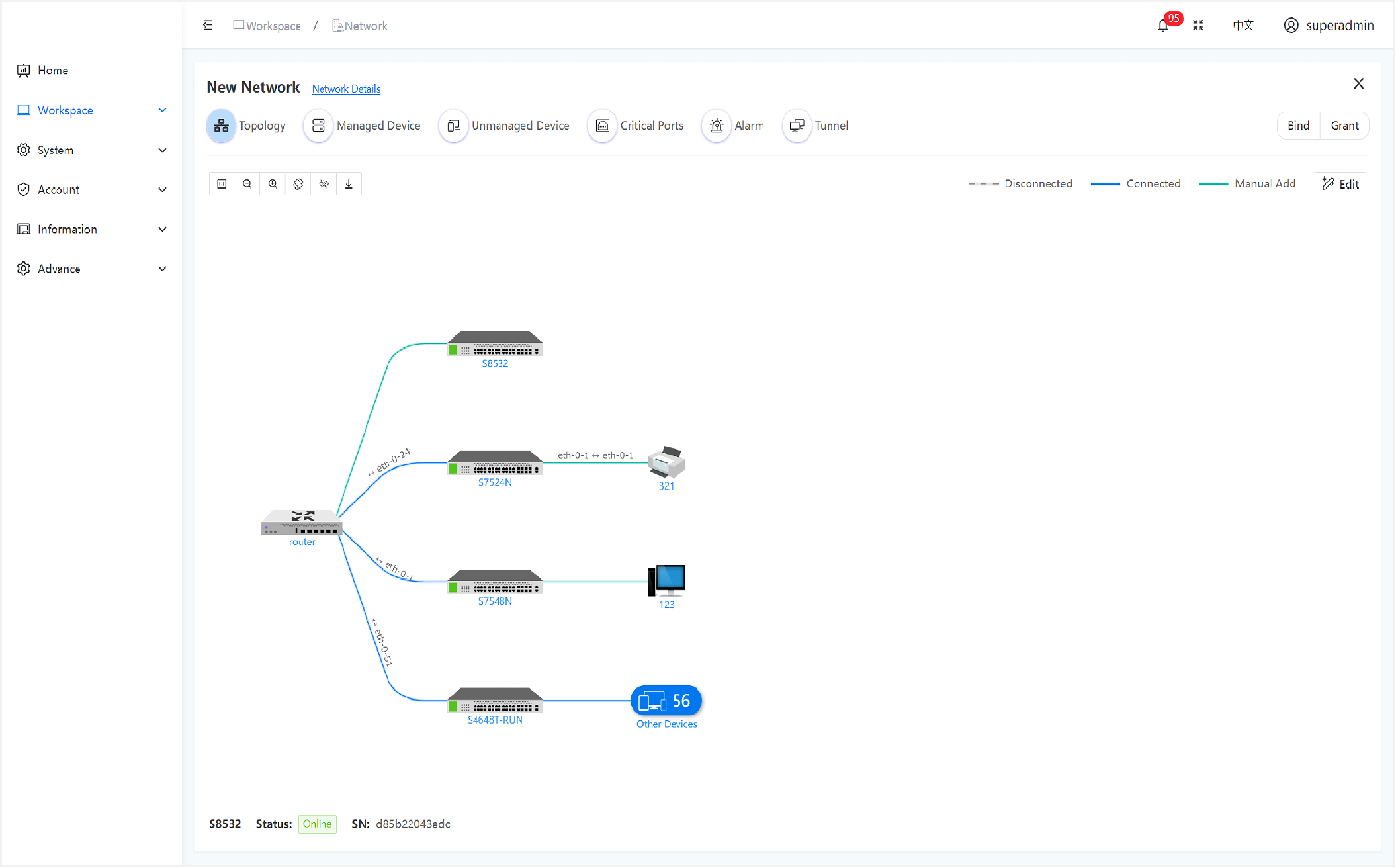
| Network TOP discovery and mapping |
TOP drawing |
Automatic drawing based on the neighbor discovery protocol |
◯ |
|
| Manual drawing and editing |
◯ |
|
| Manually add third-party device |
Computer |
◯ |
|
| Switch |
◯ |
|
| Printer |
◯ |
|
| Router |
◯ |
|
|
Server |
◯ |
|
|
Custom |
◯ |
|
| AP |
◯ |
|
|
Registration to DHCS |
USB disk ZTP method |
◯ |
|
|
DHDP Automatic discovery protocol |
◯ |
|
| Device registration and binding |
Manual CLI registration |
◯ |
|
| WEB GUI interface registration |
◯ |
|
| Bind a device to a network |
Binding code binding |
◯ |
|
| Network number binding |
◯ |
|
| Top detail function |
Port number and connection relationship |
◯ |
|
| Alarm indication bubble |
◯ |
|
| Adjust the top direction |
◯ |
|
| Zom in/out |
◯ |
|
| Top Download |
◯ |
|
| Network handover and authorization |
Handover |
Automatically generate handover report |
◯ |
|
| Automatic transfer of authority |
◯ |
|
| authorization |
Provide temporary or permanent
network access privileges for other accounts. |
◯ |
|
| Alarm |
Network Alarm |
Loop Detection Alarm |
◯ |
|
| CRC Error Alarm |
◯ |
|
| Link Aggregation Group Alarm |
◯ |
|
| Optical Alarm |
Optical Power Degradation Alarm (Serious) |
◯ |
|
| Optical Power Degradation Alarm (General) |
◯ |
|
| Temperature Alarm (Serious) |
◯ |
|
| Temperature Alarm (General) |
◯ |
|
| Voltage Alarm (Serious) |
◯ |
|
| Voltage Alarm (General) |
◯ |
|
| Current Alarm (Serious) |
◯ |
|
| Current Alarm (General) |
◯ |
|
| Resource Alarm |
CPU Usage Alarm |
◯ |
|
| Memory Usage Alarm |
◯ |
|
| Storage Usage Alarm |
◯ |
|
| Critical Port Failure |
◯ |
|
| Temperature Alarm |
◯ |
|
| Fan Alarm (Speed 100%) |
◯ |
|
| Fan Alarm (Speed 0%) |
◯ |
|
| Fan Alarm (Fail) |
◯ |
|
| Downlink Traffic |
◯ |
|
| Uplink Traffic |
◯ |
|
| POE Power Alarm (Threshold) |
◯ |
|
| POE Power Alarm (Reserved) |
◯ |
|
| Reboot Alarm |
Manual Reboot |
◯ |
|
| Power Off Reboot |
◯ |
|
| Over Temperature Reboot |
◯ |
|
| Alarm message notification |
Top bubble |
◯ |
|
| E-Mail |
◯ |
|
| Mobile phone message service |
◯ |
|
| WeChat |
◯ |
|
| Customized other message channels |
◯ |
|
| OTA upgrade |
Upgrade package file management |
◯ |
|
| Scheduled upgrade package delivery |
◯ |
|
| Scheduled restart function (reducing the impact of network interruptions on business operations) |
◯ |
|
| Configuration Template Management |
Configuration template addition, edit, download, and deletion |
◯ |
|
| ZTP template |
Automatically generate ZTP templates |
◯ |
|
| System setting |
DHCS Host machine monitoring |
CPU/Memory/Disk/TCP Connection Status
/System /Network Traffic |
◯ |
|
| Platform Setting |
Platform Owner Setting |
◯ |
|
| cloud service domain name or ip address Setting |
◯ |
|
|
Default Language Setting |
◯ |
|
| System Display Name Setting |
◯ |
|
| Copyright information Setting |
◯ |
|
| Privacy Policy Setting |
◯ |
|
| User Agreement Setting |
◯ |
|
| Service Agreement Setting |
◯ |
|
| Login Page Logo Setting |
◯ |
|
| Browser Icon Setting |
◯ |
|
| Top-left Logo Setting |
◯ |
|
| SMTP Server and ID Setting |
◯ |
|
| WeChat Setting |
◯ |
|
| Operate Log |
Automatically record all user operation logs |
◯ |
|
|
Email Template |
Customize Email Notification Message Template |
◯ |
|
| License |
Purchase license files flexibly based on the size of the network. |
◯ |
|
| Account, Role, Authorization |
account |
Account addition / edit / lock / deletion |
◯ |
|
| roles |
Customized roles and role permissions |
◯ |
|
| Authorization |
Granting authorization to accounts
based on role definitions |
◯ |
|